
The best manufacturing websites: 23 examples and why they work
Sites that sellto engineers first.
23 manufacturer homepages.One day, one size.The feature that earns the quote.
YOU OWN IT.


Key takeaways
- The best manufacturing websites are tools before they are brochures. A finder, a calculator or a configurator in the first screen does more selling than any headline.
- Most manufacturers sell through someone: a dealer, a distributor, an integrator. The strongest sites make finding that partner a first-screen action, as Hytrol and Dorner do.
- Specs and certifications belong in text near the quote button. Protolabs lists four certifications right under its two quote buttons.
- Only Formlabs shows a price on arrival. For anything sold off the shelf, a starting price is the fastest trust signal a manufacturer can add.
How the list was built
Method
The starting points were the manufacturer sites named in the roundups that rank for “best manufacturing websites”, plus conveyor and material handling makers chosen because JT Studio is building for a conveyor manufacturer right now. Most are US companies; three are based abroad and sell into the US.
Every homepage was opened in Chrome at 1440 by 900 on 20 October 2026, cookie and promotional popups were closed as a visitor would close them, and the first screen was saved. Two sites on the shortlist served a bot check instead of a homepage and were left out rather than shown with a stand-in.
The examples fall into five groups: conveyor and material handling, industrial components and processing, large industrial brands, building products and dealer-sold equipment, and product makers selling direct.
Conveyor and material handling
Three makers who sell through integrators and distributors, and show the path to those partners up front.
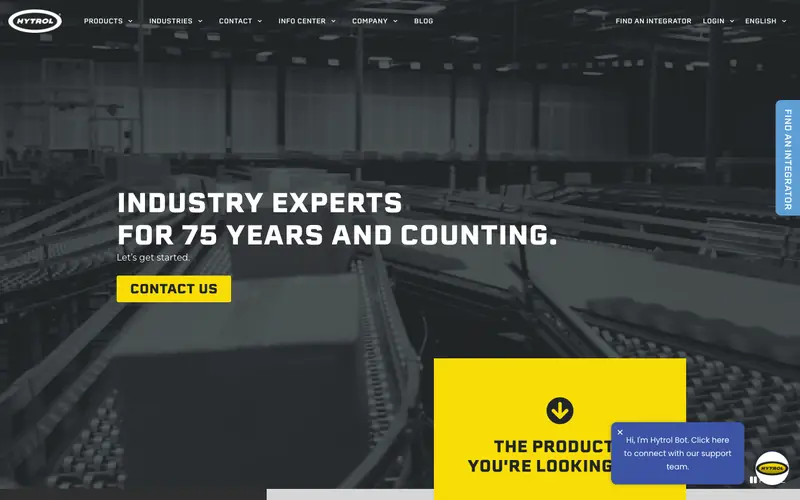
01. Hytrol Conveyor
Hytrol sells through integration partners, and the site never lets a visitor forget the fact. “Find an Integrator” leads the utility links in the header and repeats as a yellow tab pinned to the right edge of the screen. Further down, an integration partner locator and a “Match Me” tool pair a buyer with a partner.
The palette is black and safety yellow, the colors of the equipment itself, with one yellow Contact Us button in the hero.
Why the site works: the channel is the conversion. Borrow this: if partners close your sales, put the partner finder in the header and on a pinned tab.
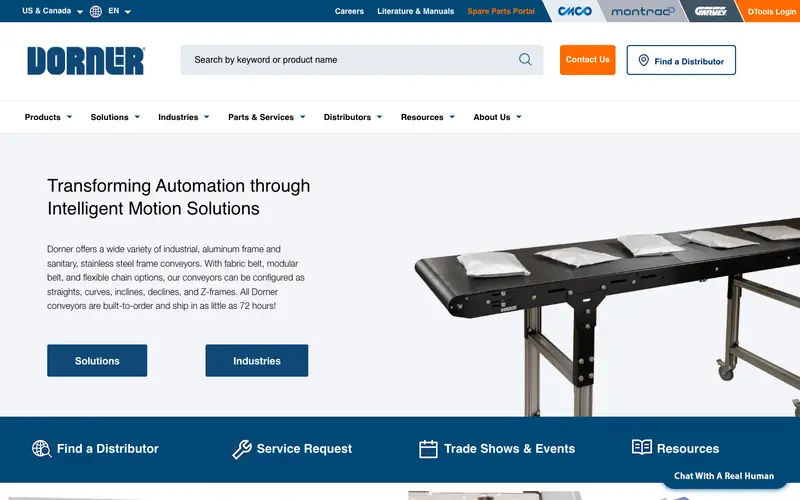
02. Dorner Conveyors
A wide search bar for keyword or product name sits next to the logo, the biggest element in the header. Engineers who know the part number never touch the menu. The top bar adds Literature and Manuals, a Spare Parts Portal and a login for Dorner’s design tool.
The hero copy states the promise in numbers: conveyors built to order and shipped in as little as 72 hours. A blue strip below offers four next steps: Find a Distributor, Service Request, Trade Shows and Events, Resources.
Borrow this: a product search box in the header, and one concrete delivery promise in the hero.
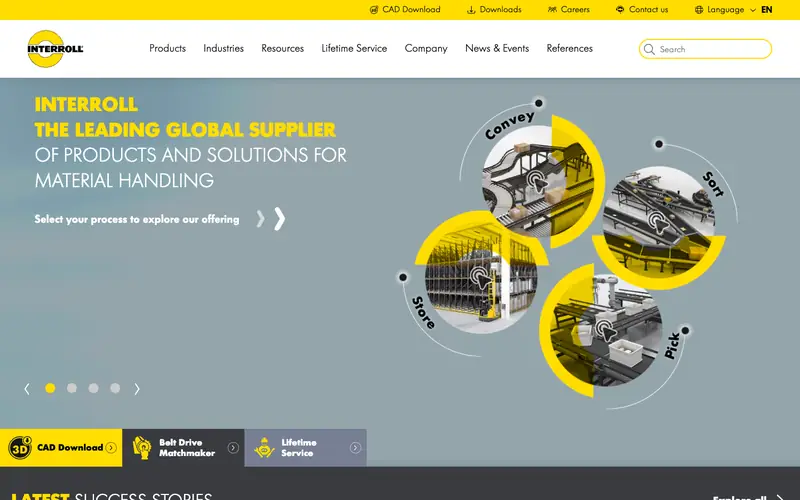
03. Interroll
Interroll asks visitors to “Select your process” on a yellow wheel split into Convey, Store, Sort and Pick. Buyers think in processes, not product codes, and the wheel meets them there.
CAD Download is the first link in the top bar, and three tiles in the hero offer CAD Download, a Belt Drive Matchmaker and Lifetime Service. Drawings and sizing help come before the company story.
Borrow this: organize the homepage by the jobs your products do, and put CAD downloads at the top of the page.
Industrial components and processing
Smaller specialists whose buyers are engineers and purchasing teams.
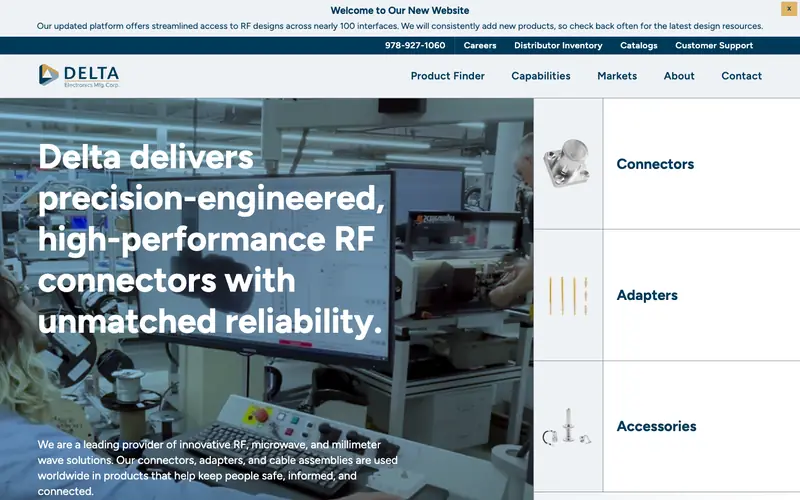
04. Delta Electronics Mfg.
Product Finder is the first item in Delta’s menu. The right half of the hero is three large tiles, Connectors, Adapters and Accessories, each with a product photo, so the catalog starts in the first screen.
The capabilities menu lists every in-house step by name: designing, machining, soldering, plating, assembling, testing. A buyer checking vertical integration gets the answer without a call, and the phone number sits in the top bar for when a call is needed.
Borrow this: name each process you do in-house as its own menu item, and make the product finder the first link.
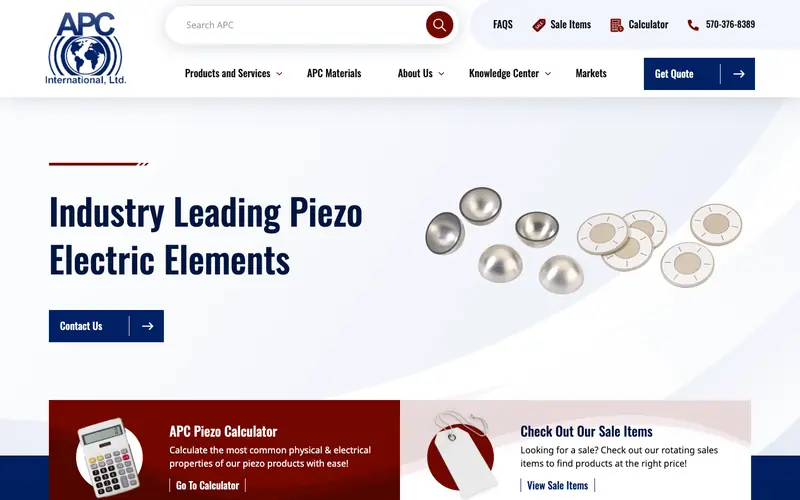
05. APC International
APC turns a technical product into a self-serve experience. The header holds FAQs, Sale Items, a Calculator, the phone number and a Get Quote button. Under the hero, a red tile sends engineers to the APC Piezo Calculator for physical and electrical properties.
A Knowledge Center in the menu answers the questions that would otherwise reach the sales inbox.
Borrow this: one calculator for the figure engineers ask about most, linked from the header and the hero.
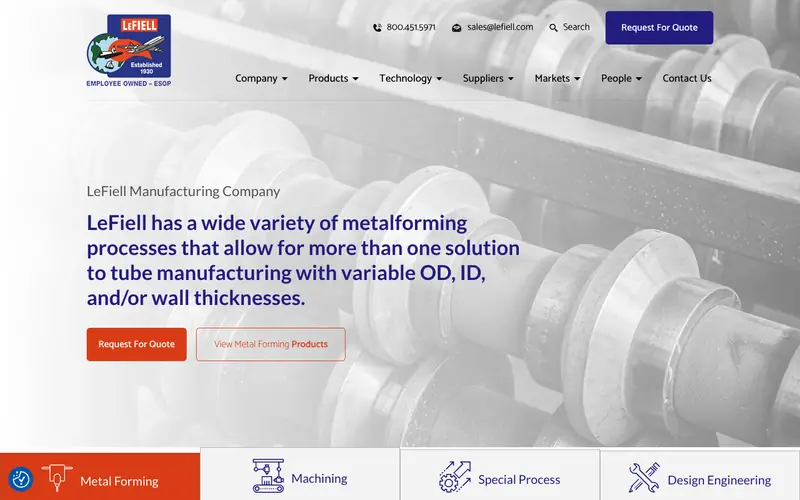
06. LeFiell Manufacturing
LeFiell’s header carries a phone number, a sales email and a blue Request For Quote button, three ways to start in one row. The logo badge notes the company is employee owned, a quiet trust signal for aerospace buyers.
The hero sentence explains the processes in buyer language, variable outside diameter, inside diameter and wall thickness, and four tabs below split the capabilities: Metal Forming, Machining, Special Process, Design Engineering.
Borrow this: phone, email and quote button together in the header, and capability tabs directly under the hero.
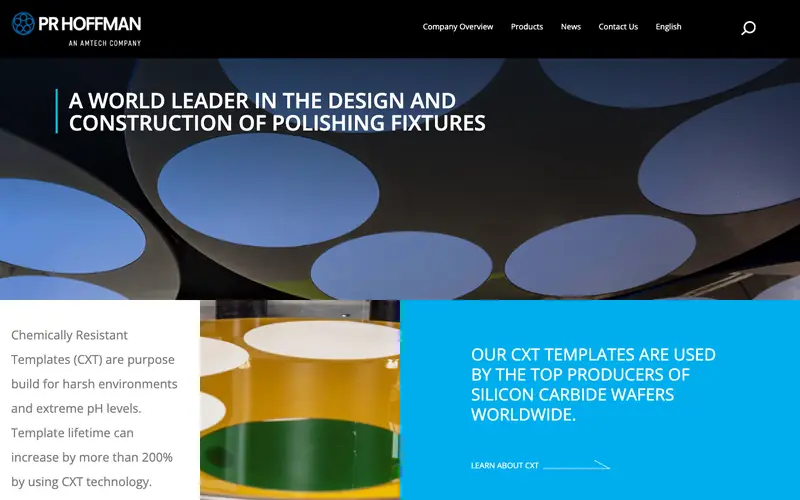
07. PR Hoffman
PR Hoffman backs its headline with a number. The chemically resistant template callout says template lifetime can increase by more than 200%, and a blue panel adds that the templates are used by top producers of silicon carbide wafers.
The menu lists each product family by its trade name: Polishing Carriers, Insert Carriers, Polishing Fixtures, Polishing Templates.
Borrow this: one measured performance claim for your flagship product, stated on the homepage.
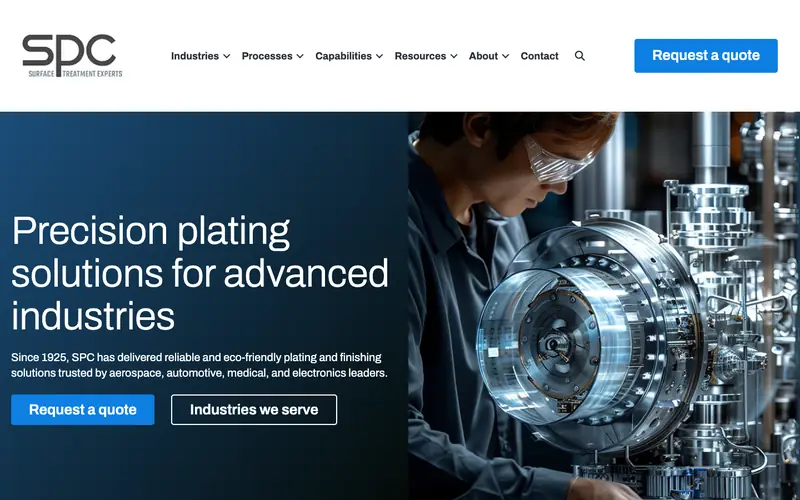
08. SPC (Sharretts Plating)
SPC names its buyers in the first sentence: aerospace, automotive, medical and electronics. A procurement manager from any of those sectors sees a match before scrolling.
Request a quote appears twice in the first screen, in the header and in the hero, next to an Industries we serve button. Further down sit a customer quote section and a Resources library.
Borrow this: list your four main industries in the hero sentence, and repeat the quote button in the header and the hero.
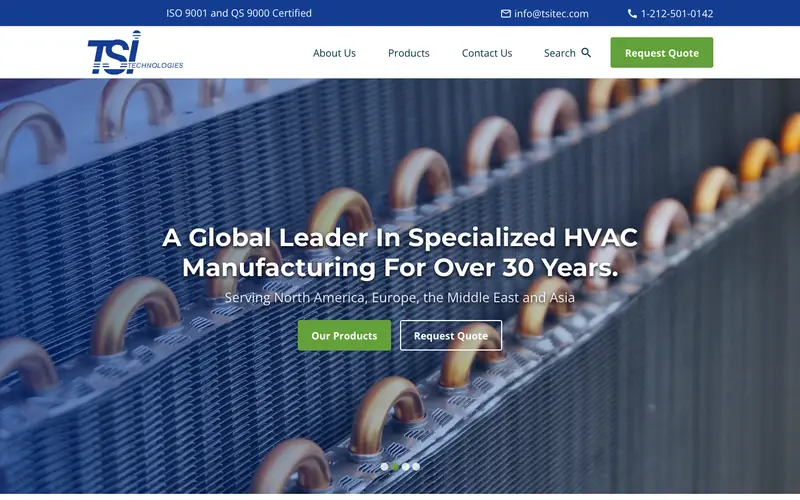
09. TSI Technologies
The top bar opens with “ISO 9001 and QS 9000 Certified”, then the email and phone. Certifications are the first words on the page, ahead of the logo.
A close photo of copper coil ends fills the hero, with Our Products and Request Quote side by side and a line naming the regions served: North America, Europe, the Middle East and Asia.
Borrow this: your certifications in the top bar, where purchasing looks first.
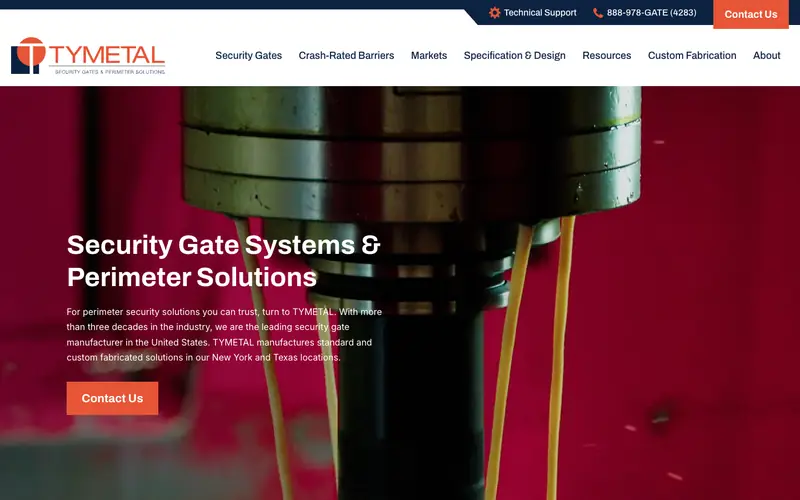
10. TYMETAL
TYMETAL gives specifiers their own menu item, Specification and Design, beside Security Gates and Crash-Rated Barriers. Architects writing a spec find drawings and data without a sales call.
The top bar pairs Technical Support with a vanity number, 888-978-GATE, and an orange Contact Us. Lower down, “In-Stock Heavy-Duty Cantilever Slide Gates” tells buyers what ships fast.
Borrow this: a page written for the people who specify your product, and an in-stock section for buyers in a hurry.
11. Chalmers & Kubeck
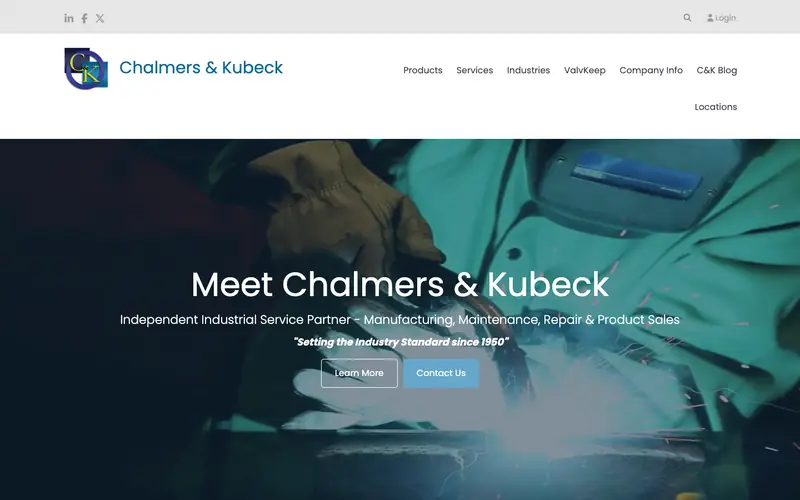
Under “Meet Chalmers & Kubeck”, one line lists everything the company sells: manufacturing, maintenance, repair and product sales, as an independent industrial service partner. A welding photo shows the shop floor.
The menu gives the company’s own valve product, ValvKeep, a top-level link, and Locations sits in the header for a multi-site service business.
Borrow this: a one-line summary of every service you sell, and a top-level link for your own branded product.
Large industrial brands
Big budgets, but each one has a move a small plant can afford.
12. Protolabs
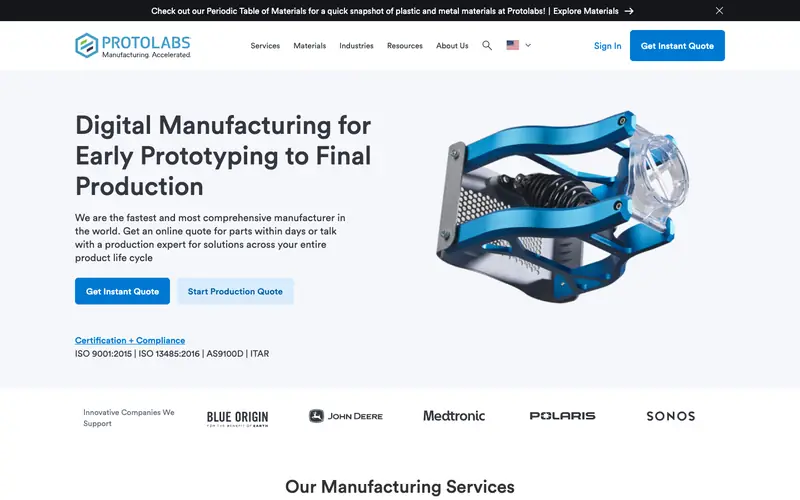
Protolabs makes quoting the product. “Get Instant Quote” sits in the header and again in the hero next to “Start Production Quote”, one for prototypes, one for volume.
Right under those buttons, four certifications sit in plain text: ISO 9001:2015, ISO 13485:2016, AS9100D and ITAR. Below that, customer logos from Blue Origin, John Deere, Medtronic, Polaris and Sonos.
Borrow this: list your certifications as text right under the quote button, and show five recognizable customer logos if you have permission.
13. Rockwell Automation
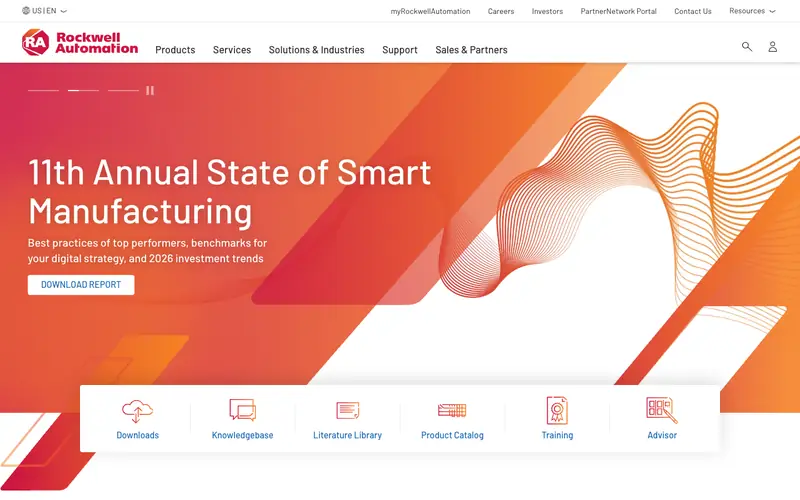
Rockwell leads with a research report, the 11th State of Smart Manufacturing, and a Download Report button. A report earns an email address from buyers who are months from purchasing.
Under the hero, a quick-link bar serves existing customers: Downloads, Knowledgebase, Literature Library, Product Catalog, Training, Advisor.
Borrow this: a quick-link row for current customers, so they reach manuals and parts without digging through sales pages.
14. Graco
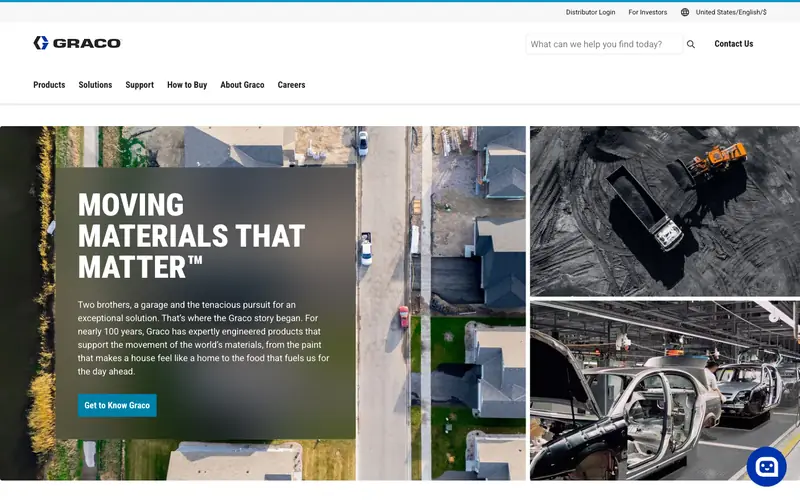
Graco shows its range with a photo grid: a housing development, a mining truck, an auto plant. Before reading a word, a visitor sees that the equipment works across very different industries.
“How to Buy” sits in the main menu, the plainest answer in this list to the question every first-time buyer has, and the hero panel tells the founding story of two brothers and a garage.
Borrow this: a How to Buy page that explains whether to call you, a distributor or a store.
15. Donaldson
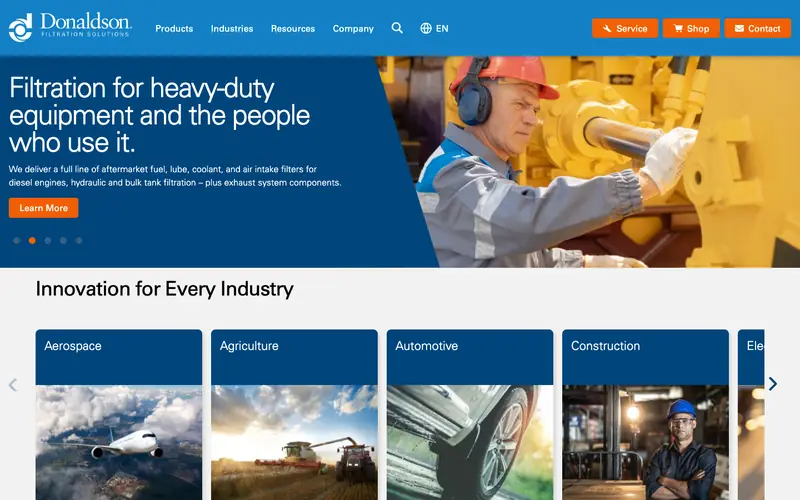
Donaldson’s header carries three orange buttons: Service, Shop and Contact. Three buyer intents, three doors, all visible at once.
The headline promises filtration for heavy-duty equipment and for the people who run the machines, a rare nod to the operator. Below, “Innovation for Every Industry” runs photo cards for aerospace, agriculture, automotive and construction.
Borrow this: split the header buttons by intent, such as service, parts and new orders.
16. Formlabs
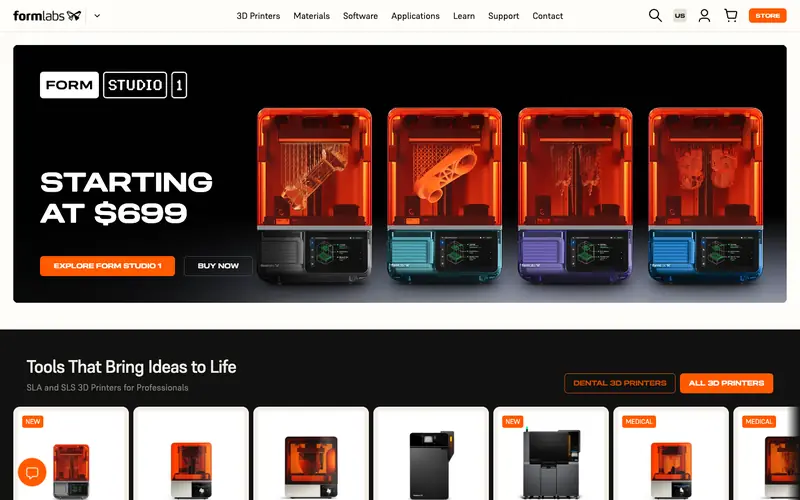
Formlabs is the only site of the 23 that shows a price on arrival: “Starting at $699” in large type beside four printers, with Explore and Buy Now buttons.
A product row underneath shows the full lineup with tags for new and medical models, and the header keeps a Store button in orange.
Borrow this: if any part of your range sells off the shelf, publish the starting price in the hero.
Building products and dealer-sold equipment
Manufacturers whose buyer often meets a dealer before the factory.
17. C.H.I. Overhead Doors
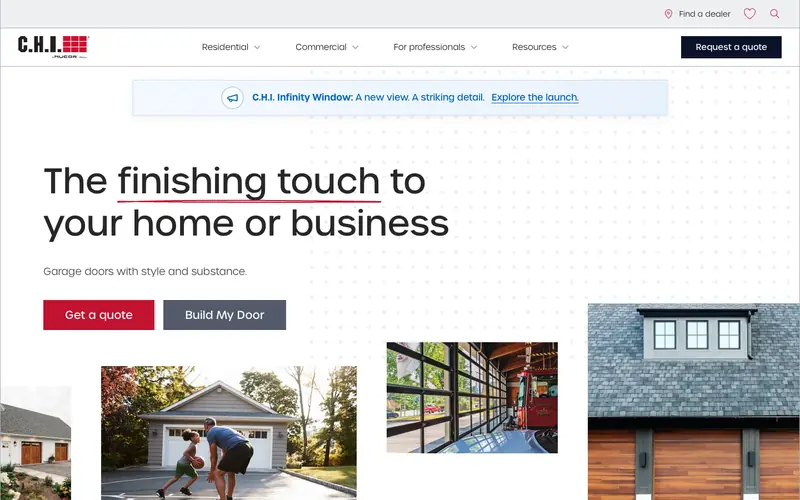
C.H.I. offers two buttons in the hero: “Get a quote” and “Build My Door”. The configurator lets a homeowner or contractor design the door before talking to a dealer.
The menu splits Residential, Commercial and For professionals, Find a dealer sits in the header, and the residential menu offers free color samples and a door comparison.
Borrow this: a configurator or builder for your most customized product, and a separate section for trade professionals.
18. Phillips Manufacturing
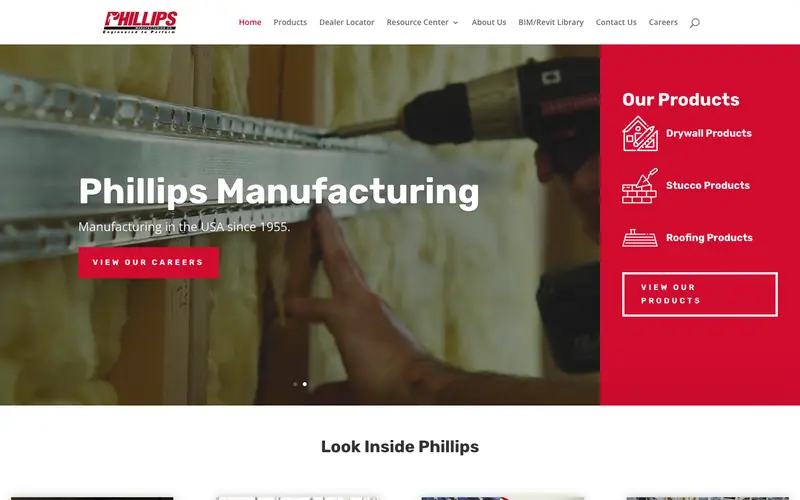
Phillips lists three product lines in a red panel beside the hero: drywall, stucco and roofing. The panel works as a menu that never hides.
A BIM and Revit Library sits in the main menu next to a Dealer Locator, so architects get models and contractors get a place to buy. The hero states the company has manufactured in the USA since 1955.
Borrow this: a BIM or CAD library in the main menu if architects or engineers specify your product.
19. Ellis Manufacturing
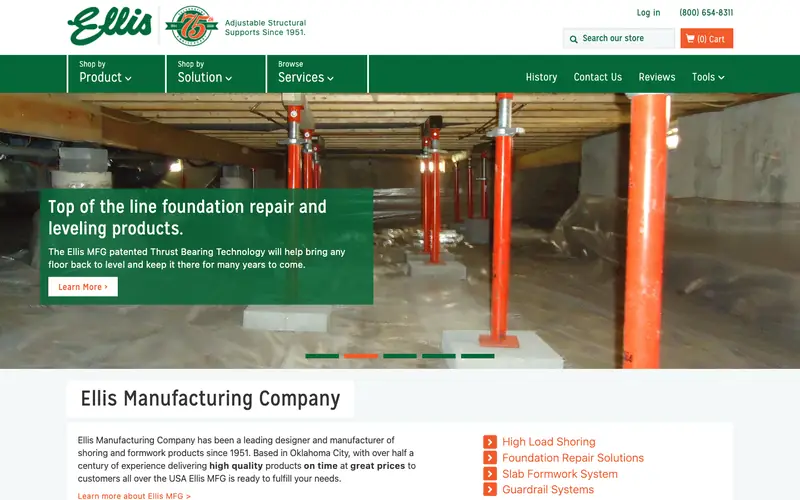
Ellis sells online and organizes the store two ways: Shop by Product and Shop by Solution. A contractor who knows the problem, say foundation leveling, finds the products without knowing their names.
The phone number and cart sit in the header, a 75th anniversary badge sits beside the logo, and Reviews has its own menu item.
Borrow this: a shop-by-problem path alongside the product catalog.
20. Laird Manufacturing
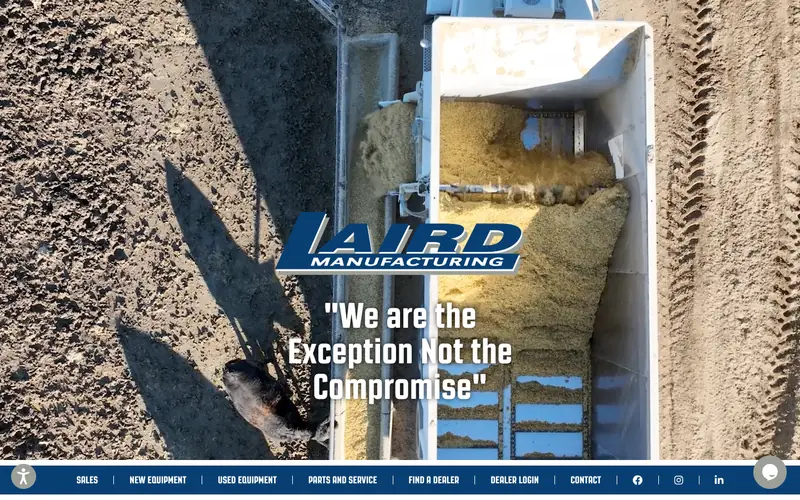
An aerial photo of a feed mixer unloading fills the screen. The product is shown at work, from above, in the dirt where buyers use the product.
The menu along the bottom covers the whole ownership cycle: New Equipment, Used Equipment, Parts and Service, Find a Dealer, Dealer Login.
Borrow this: menu items for used equipment and parts, so owners of your older machines keep coming back to your site.
Product makers selling direct
Manufacturers with an online checkout or a direct sales team.
21. Airthings
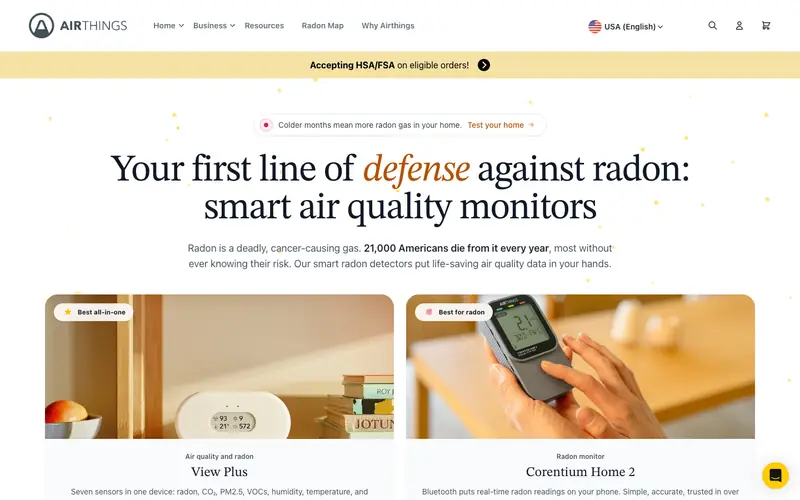
Airthings opens with the reason to buy, a statistic about radon deaths in America, before naming any product. Two product cards follow with plain labels: Best all-in-one, Best for radon.
A Radon Map in the main menu gives visitors a reason to come back, and a banner notes HSA and FSA payment is accepted.
Borrow this: label each product by the job the product does best, so buyers pick without comparing spec sheets.
22. Packwire
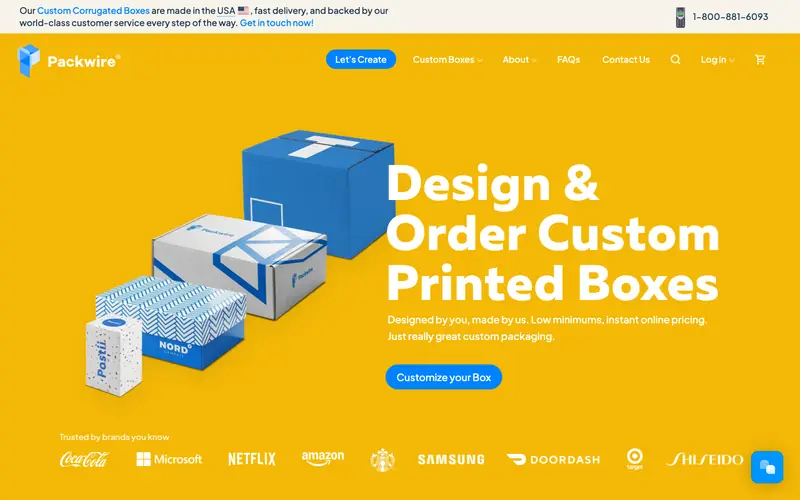
Packwire’s hero is the product and the promise in one line: design and order custom printed boxes, low minimums, instant online pricing. A Customize your Box button starts the configurator.
Brand logos run along the bottom of the first screen, and the phone number sits in the top right for buyers who would rather talk.
Borrow this: say your minimum order and how fast pricing comes back, in the hero.
23. Robin Radar
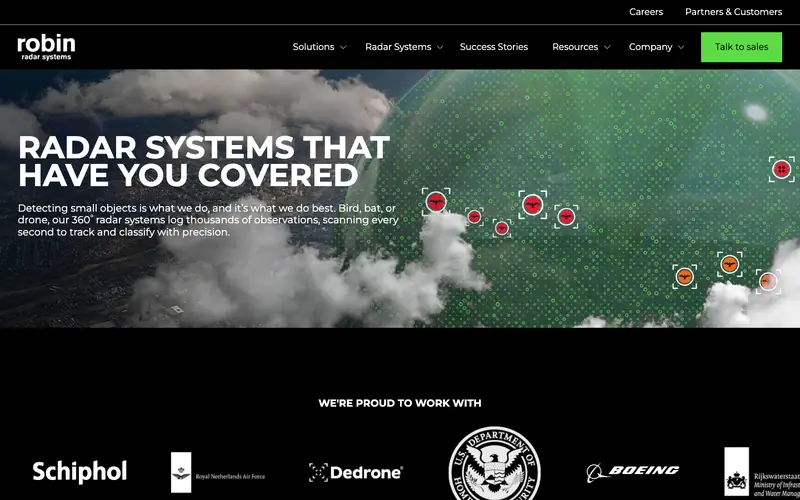
Robin Radar keeps one action in the header, a green “Talk to sales” button, and puts Success Stories in the main menu.
Below the hero, a logo strip names customers such as Schiphol airport and Boeing. For a complex system with a long sale, recognizable buyers do the persuading.
Borrow this: a Success Stories page with named customers, and a single sales button in the header.
What the best manufacturing websites share
Counted from the 23 first screens above.
| Pattern | How many | Takeaway |
|---|---|---|
| Quote or talk-to-sales button in the header | 7 of 23 | The rest hide the next step in a Contact page. One button in the header costs nothing. |
| Phone number in the first screen | 7 of 23 | Mostly the smaller specialists, whose buyers still call. |
| Dealer, distributor or integrator finder | 6 of 23 | If partners close the sale, the partner finder is your main call to action. |
| Finder, calculator or configurator | 5 of 23 | APC, Delta, Interroll, C.H.I. and Packwire let buyers size or build before asking. |
| CAD, BIM or literature link in the header | 3 of 23 | Interroll, Phillips and Dorner. Engineers notice the absence everywhere else. |
| Price shown on arrival | 1 of 23 | Formlabs. The rarest move, and the one that stands out most. |
Where a small plant should start
Five moves
None of these needs a big-brand budget. In order of payoff for a small or mid-sized manufacturer:
- A quote button in the header, with a form that asks only what sales needs to price the job.
- Specs for each product family written as page text, with the drawing downloadable from the same page.
- Certifications as text in the top bar or under the quote button, as TSI and Protolabs do.
- A partner finder if dealers or integrators close your sales, as Hytrol does.
- One tool for the question engineers ask most: a load finder, a calculator or a configurator.
JT Studio is building exactly this for Berken Solutions, a conveyor manufacturer in Wisconsin: a CAD finder that names the conveyor family for a given load and width, downloads that alert sales, and one quote form for integrators and plant teams.
Questions about manufacturing websites
What are some good websites for manufacturers?
From this list: Hytrol and Dorner for conveyor makers, Protolabs for quoting, Delta and LeFiell for component specialists, C.H.I. for configurators, and Formlabs for pricing. Each solves a different buyer question, so pick the one closest to how your customers buy.
What should a manufacturing website have?
A clear statement of what you make and for whom, product pages with specs in text, downloadable drawings, a quote form in the header, certifications, proof such as customer logos or case studies, and a path to dealers or distributors if they handle sales.
What is the best website to find manufacturers?
That search usually means supplier directories, which list many manufacturers side by side. Your own site matters because buyers check the manufacturer’s website after the directory, and that visit decides whether you get the RFQ.
Do small manufacturers need a product finder?
Only when buyers struggle to pick the right model. If your range comes in a few families defined by load, size or rating, a simple finder that asks two or three questions saves both sides a phone call.
How much does a manufacturing website cost?
JT Studio starts at $950 for a one-page site and $1,900 for a site with product pages, with a fixed price after one call. Tools such as a finder or calculator are quoted as add-ons, and the full list sits on the pricing page.
Put your plant on a list like this
Bring the moves you liked to a free call. You leave with a page plan for your product range and a fixed price, from $950.
By video, for manufacturers anywhere in the US.